THE FINANCIAL FOUNDATION
A clearer view ofmoving part. Bring supplier invoices, financial records and fixed assets into one connected workspace. From the first invoice to the final journal.
Inside Lattice ERP. Real software, shown with synthetic demo records. CONNECTED ACCOUNTING ONE CONNECTED WORKSPACE
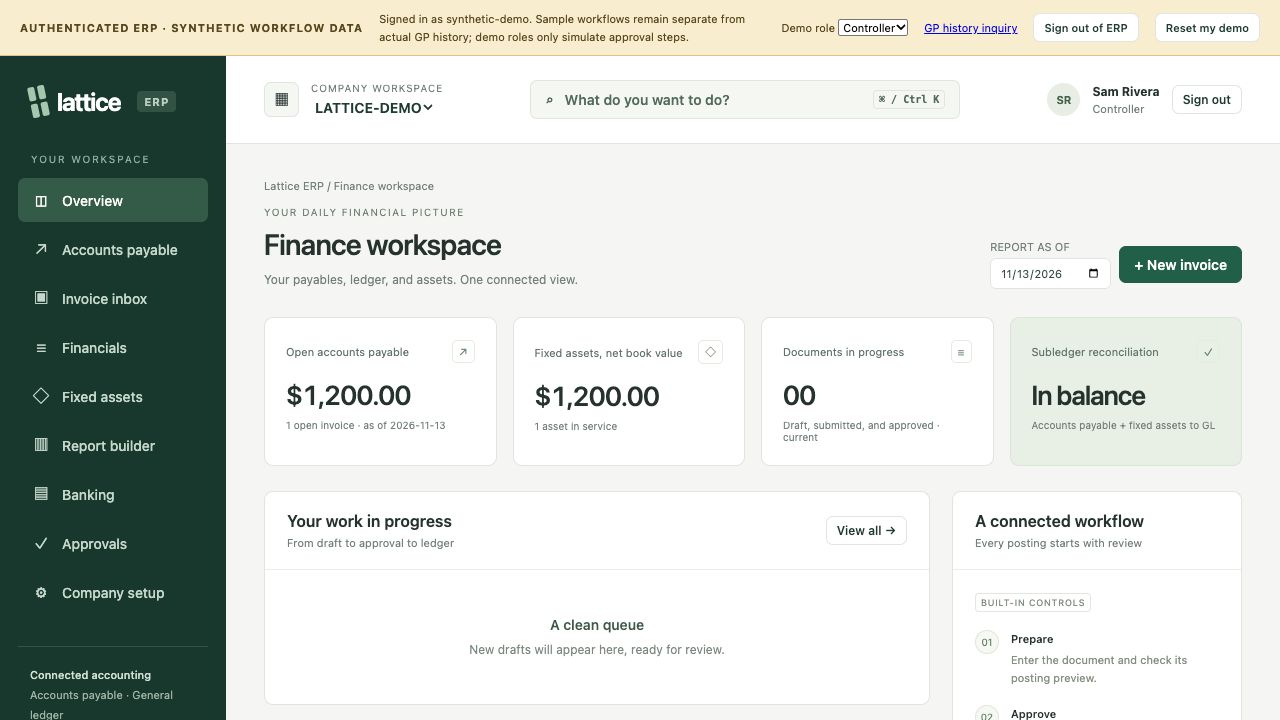
Follow the work. Move between invoices, the ledger and your asset register without losing the context behind an entry. These screens are captured from the working ERP.
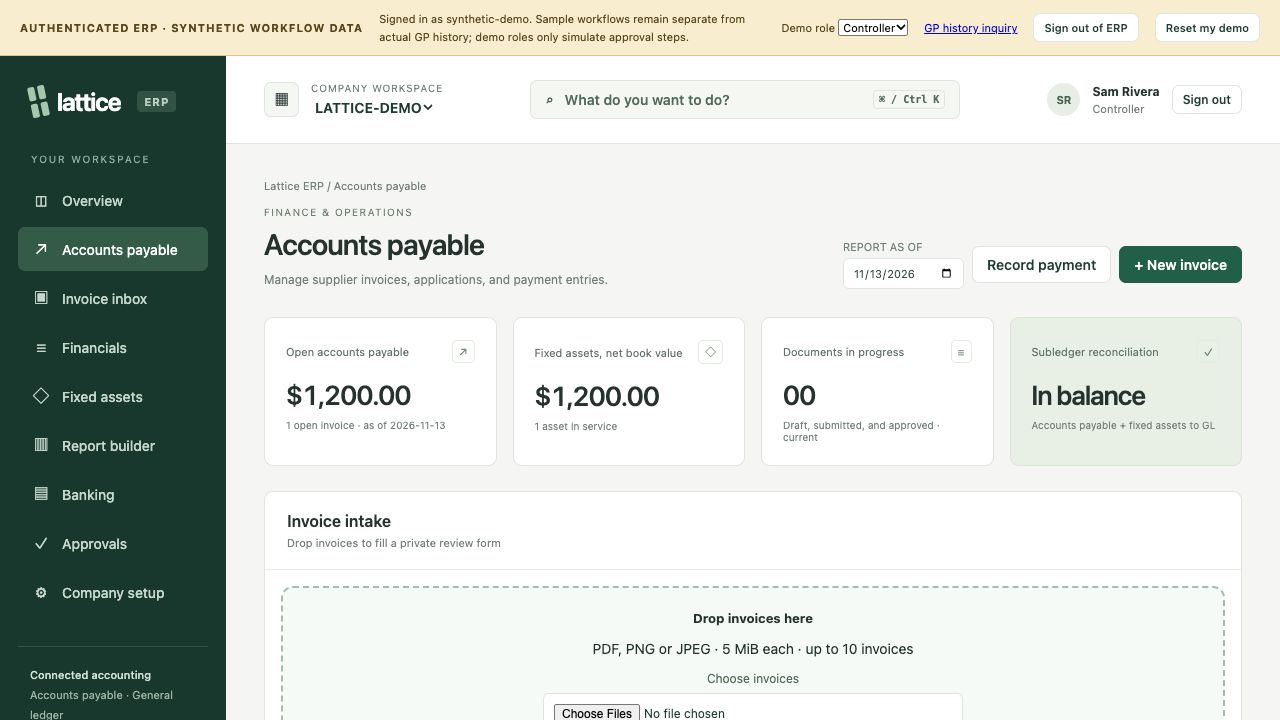
01 / ACCOUNTS PAYABLE From invoice to Drop invoice copies into a private review queue. Inspect suggested fields from text PDFs, review coding, and follow the approval and posting workflow.
Review approver routing, account coding and posting batches in one connected workflow.
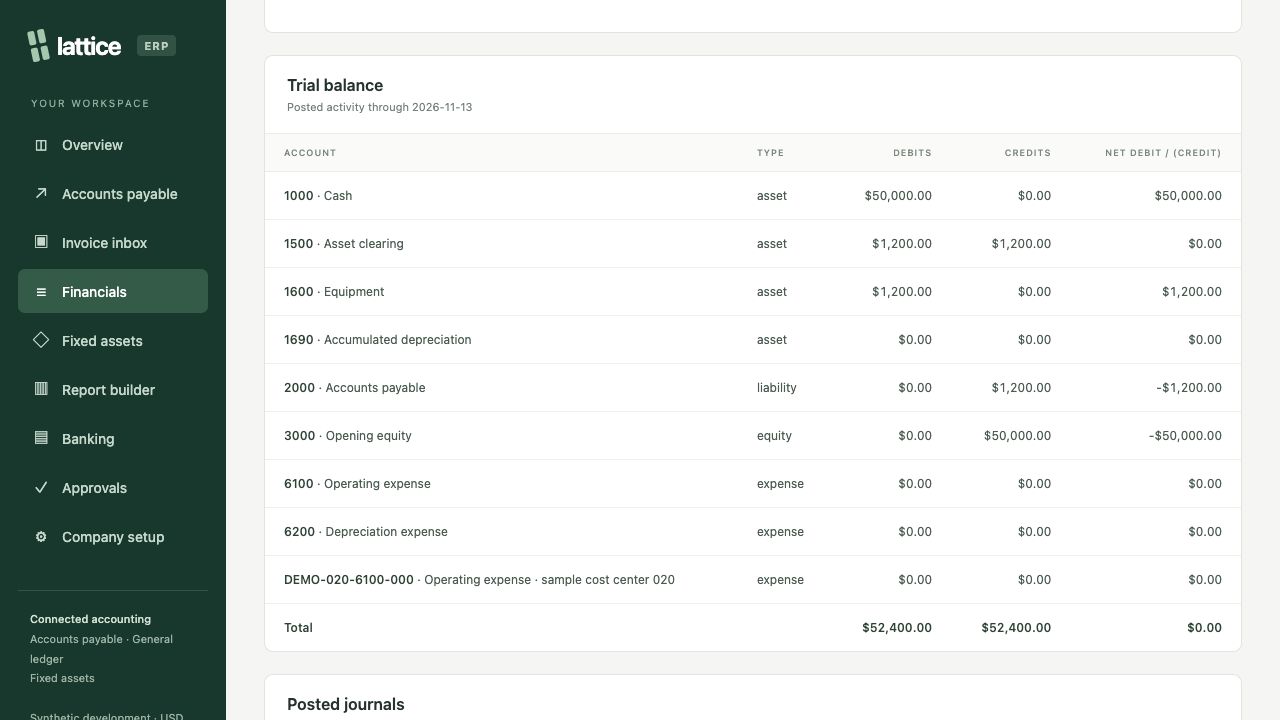
Explore your AP workflow ↗ Invoice intake and payables workspace · Actual ERP screenshot, synthetic demo data. 02 / FINANCIALS The story behind Review the trial balance, open posted journals and inspect source distributions. Compare subledgers with the general ledger using a shared reporting date.
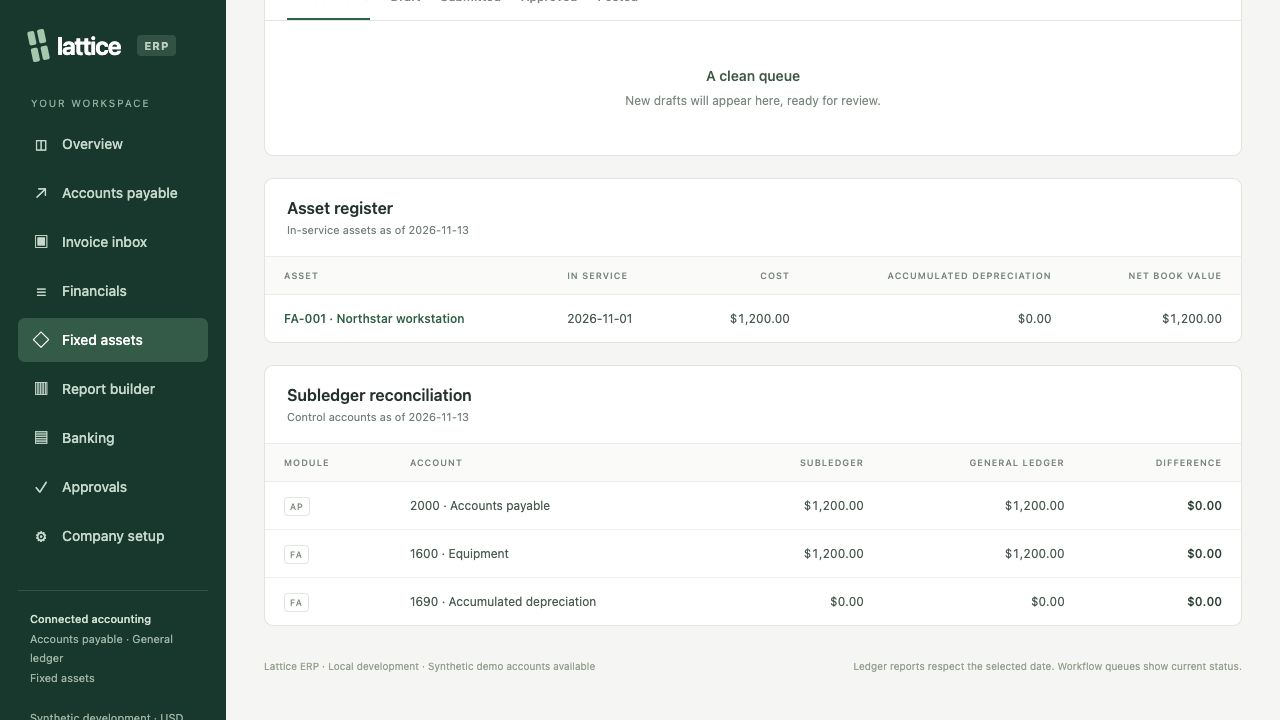
Discuss financial reporting ↗ Trial balance and account activity · Actual ERP screenshot, synthetic demo data. 03 / FIXED ASSETS Keep assets connected Track asset cost, accumulated depreciation and net book value. Follow acquisitions from their source invoice into the asset register and reconciliation.
Plan your asset workflow ↗ Asset register and reconciliation · Actual ERP screenshot, synthetic demo data. INVENTORY / VISTA POS
Connect your cinema stock Vista Cinema. Bring cinema and stock-location mappings, source transaction references and daily reconciliation together across your POS workflow.
A FASTER WAY INTO YOUR WORK
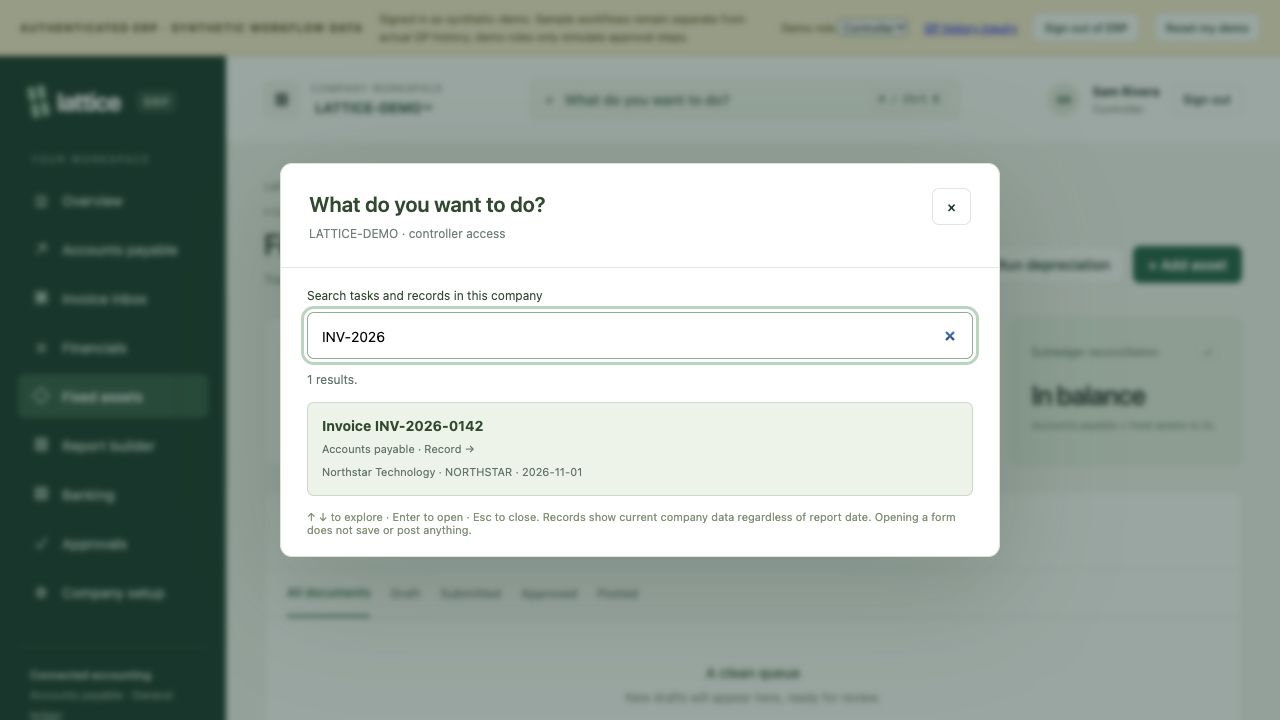
Start with a question. Search tasks and company records from one place. Jump to an invoice, vendor or journal entry using a name or reference number.
Shown here: an actual invoice-number search in the synthetic demo.
See it in a walkthrough ↗ Search across tasks and records · Actual ERP screenshot, synthetic demo data. REVIEW IS PART OF THE WORKFLOW
A clear path to posting. 01 / PREPARE Capture the detail. Bring the source document and account distributions together before the entry moves forward.
02 / APPROVE Give review its place. Check the financial impact and coding through a separate approval step.
03 / POST Keep the trail. Review posting batches and trace posted entries back to their originating work.
Your workspace. Screenshots show a sample workspace with synthetic data. Sign in to explore your ERP workspace.
BUILT AROUND YOUR WORK
Let’s map your next chapter. Talk through your companies, workflows and reporting needs.
Request a quote ↗